
Autotrader: Shop Cars For Sale
Autotrader, Inc.Auto & Vehicles
4.512.34K Reviews
- Version
- 4.37.0
- Installs
- 5.00M
- Age Rating
- Everyone
Screenshots
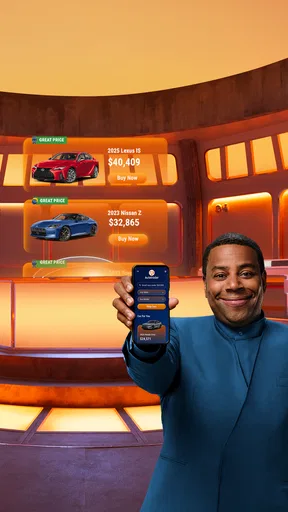
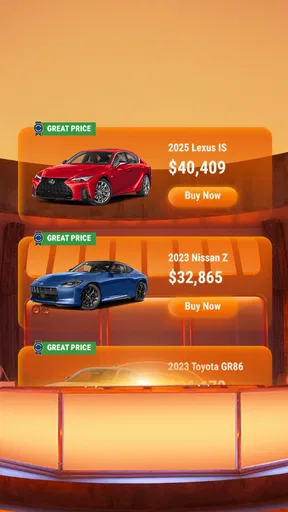
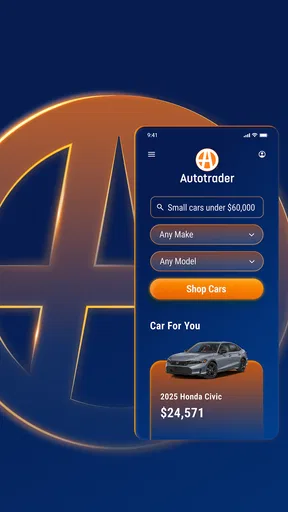
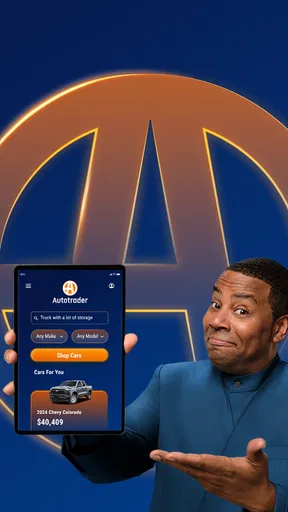

Our Review of Autotrader: Shop Cars For Sale
 Analysis by Appyee
Buying a car can turn into a second job: comparing listings, trying to remember which one had the right mileage, and wondering whether a promising photo tells the whole story. I find Autotrader: Shop Cars For Sale most useful as a place to organize that early search. It is a free car-shopping app from Autotrader, Inc., and it covers both new and used vehicles. The goal is not to make a major purchase feel effortless, but to help you narrow a sprawling choice into a manageable shortlist.
What to expect before you start browsing
This is an app for exploring cars for sale, not a substitute for inspecting one or deciding whether it fits your budget. I would approach it as a research tool: use listings to spot candidates, compare the details that matter to you, and then follow up with the seller. That distinction keeps expectations realistic. A polished listing can help you decide what deserves attention, but it cannot tell you how a car feels on the road or replace an in-person check.
The app sits in the Auto & Vehicles category and has a 4.4 average from around 40,000 ratings. It has been installed over 5 million times, is rated for Everyone, and is free to use. Autotrader released it in 2011; version 4.25.0 requires Android 9 or later. Those details make it approachable for a broad range of shoppers, though the Android requirement is worth checking before you plan to use it on an older device.
If you are only curious about what a certain model costs, you can browse without treating every search as a commitment. If you are ready to buy, the app is more valuable when you already know a few boundaries: the kind of vehicle you need, a comfortable price range, and how far you are willing to travel. Without those, even a good listing selection can become another endless scroll.
Set up a search that helps you decide
When you first open the app, I would start with a broad search for the type of vehicle you have in mind, then narrow it by make, model, price, color, and location. Those filters are practical, but using all of them immediately can hide options you might have considered. For example, if color is a preference rather than a deal-breaker, leave it open at first and use it later to sort a shorter list.
Location is especially useful when you are balancing choice against the effort of collecting a car. A listing farther away may look appealing on screen, but the trip adds time and makes an initial viewing less convenient. I would set a realistic area before comparing candidates, then widen it only if the nearby results do not fit. That gives you a more honest picture of what is available within reach.
Saving a search is a sensible move if you expect to return to the same criteria. It saves you from rebuilding the filter combination each time and gives your browsing some continuity. I would also save individual cars that meet different needs, rather than keeping only the current favorite. A cheaper option, a better-equipped model, and a nearby candidate can make useful comparison points even if none is perfect.
Turn a promising listing into a useful shortlist
Imagine that you are checking cars after work because your current vehicle is becoming unreliable. You have a rough budget and want something nearby, but you are not ready to call anyone yet. I would filter for the models you can realistically afford, save a handful of plausible listings, and then compare mileage, ownership details, photos, and location side by side. That first successful action is not finding a flawless car; it is reducing a vague search to a few options worth investigating.
Photos help you screen listings, but I would treat them as a first pass, not proof of condition. Look for whether the images show the vehicle from several useful angles and whether the written details answer the questions you care about. If the photos leave gaps, make a note to ask the seller rather than filling in the blanks yourself. A listing can be informative and still leave important questions for a conversation or inspection.
Vehicle history reports are another useful part of the research process when available in a listing. They can give you context before you spend time pursuing a car, but I would not treat a report as a guarantee that the vehicle is trouble-free. Use it alongside the listing, direct questions, and an independent assessment where appropriate. The strongest workflow is to let each source flag issues for the next step, rather than expecting one screen to settle the decision.
The Search Experience
So, straight out of the gate, Autotrader: Shop Cars For Sale offers a clean and user-friendly interface. It’s like having a car showroom at your fingertips. The search feature is robust, allowing you to filter by make, model, price, and even color. You can also look for cars based on your location, which is super handy if you're not looking to travel too far to pick up your new wheels.
One of the coolest features is the ability to save your searches. If you're like me and tend to browse a lot before making a decision, this is a game-changer. Save your favorite models and come back to them later without having to start from scratch.
Details, Details, Details
When you tap on a listing, you’re greeted with all the details you could possibly want. From mileage to previous owners, it's all there. Each listing comes with a set of high-quality images, which gives you a good feel for the car without having to be there in person. It’s almost like you can smell the new car scent through the screen!
The app also includes vehicle history reports, which is a huge plus. Knowing the history of a car before you buy it helps you avoid any nasty surprises down the road. And let’s be honest, nobody wants to buy a car that’s been through the ringer.
Making the Deal
Once you’ve found "the one," the app provides contact information for the seller. You can reach out directly through the app, making communication seamless. There’s even an option to get pre-approved for financing, which can save you a ton of time at the dealership. And if you’re not quite ready to buy, you can set up price alerts to keep an eye on potential price drops.
Questions worth answering before you contact a seller
A common point of confusion is whether a saved search, a saved car, or a price alert does the same job. I treat them as separate parts of a workflow: a saved search helps me return to a set of criteria, while a saved listing helps me keep track of a particular vehicle. An alert is useful for watching a candidate over time. None of these replaces checking that the listing is still current, so I would confirm availability before arranging a trip.
Another practical question is whether browsing commits you to buying through the app. It is better to think of the app as a route to listings and seller contact, rather than as the whole transaction. The seller conversation is where I would clarify availability, condition, what is included, and how to arrange a viewing. If you are comparing financing, work out what you can comfortably afford before focusing on a monthly payment; pre-approval can help prepare, but it does not remove the need to assess the full cost of ownership.
First-time buyers may also wonder whether the photos and history information are enough to make a decision. I would say they are enough to decide what to investigate next, not enough to buy sight unseen with confidence. Check the details against your own priorities, ask direct questions about anything unclear, and arrange an in-person look and suitable inspection before making a commitment. That extra step is especially important when a listing seems unusually attractive or when the description does not address a concern you have.
Where it fits among car-shopping options
Compared with searching general classified listings, a car-focused app can make the early comparison feel more organized: the filters are built around vehicles, and the listing details help you compare candidates in one place. A dealership visit, on the other hand, is better when you want to see a car immediately or speak with someone face to face. I would use Autotrader to prepare and shortlist, then decide whether to contact a seller or visit a dealership based on the particular vehicle and how quickly I need to act.
There are trade-offs. A large set of listings can be helpful, but it can also make browsing feel repetitive when your criteria are too broad. Photos and descriptions vary in how much they tell you, and a saved candidate can still require follow-up before you know whether it is right. If you already have a specific car in mind at a nearby dealership, going straight there may be quicker. If you want to compare different makes and used options before choosing, this app is a more natural starting point.
I would recommend it most to people who want to explore the market at their own pace, especially first-time shoppers who need a way to turn an uncertain idea into a shortlist. It is also handy for someone replacing a car who wants to compare location and price before making calls. It may be less useful if you expect a listing app to verify a vehicle’s condition for you, or if you are not willing to contact sellers and inspect candidates yourself. The app can make research more orderly; the judgment still belongs to you.
Final Thoughts
Overall, Autotrader: Shop Cars For Sale makes finding your next car a breeze. It’s packed with features that cater to both the casual browser and the serious buyer. The app’s intuitive design and comprehensive listings bring the car buying process into the palm of your hand. If you’re in the market for a new ride, this app is definitely worth a download.
So, if you're ready to hit the road in style, give Autotrader a spin. It might just be the easiest car shopping experience you’ve ever had.
A sensible next step after browsing
Once you have a short list, I would stop adding candidates and start checking them. Revisit each listing with a clear set of questions, contact the seller about the details that matter, and arrange to see the strongest option in person. Keep a backup candidate in case your first choice is unavailable or does not match its description. That small change—from collecting listings to verifying a few—keeps the search focused and makes the app’s saved items genuinely useful.
My overall view is that Autotrader works best as a calm starting point rather than a magic shortcut. It helps me browse, compare, and take the next step without needing to remember every search from scratch. Used with realistic filters and a healthy amount of skepticism about any online listing, it can make the first part of car shopping much less daunting.
Privacy and Permissions
See what permissions an app requests and how it handles your data.
- Location
- approximate location (network-based), precise location (GPS and network-based)
- Photos/Media/Files
- read the contents of your USB storage, modify or delete the contents of your USB storage
- Storage
- read the contents of your USB storage, modify or delete the contents of your USB storage
- Camera
- take pictures and videos
- Microphone
- record audio
- Wi-Fi connection information
- view Wi-Fi connections
- Other
- view network connections, connect and disconnect from Wi-Fi, full network access, run at startup, control vibration, prevent device from sleeping, read Google service configuration
Verdict
Strengths of Autotrader: Shop Cars For Sale
- User-friendly interface simplifies searches.
- Comprehensive filter options for precise results.
- Wide range of vehicles and sellers available.
- Includes detailed car history and reports.
- Seamless integration with financing options.
Limitations of Autotrader: Shop Cars For Sale
- Limited private seller listings.
- Occasional app crashes reported.
- Some features require account creation.
- Ads can be intrusive at times.
- Limited customer service support.
Similar Picks in This Category
View All
Android Auto
Google LLC4.1

maxim — order a taxi & food
PT. SITO4.7

Штрафы ГИБДД: проверка с фото
Pays LLC – Штрафы ГИБДД4.7

Номерограм – проверка авто
Авто Ассист4.8

Дром Авто
Дром4.9

Frequently Asked Questions
What features does the Autotrader app offer for car buyers?
The Autotrader app provides a comprehensive platform for car buyers, featuring tools to search for new and used vehicles by make, model, price, and location. Users can access detailed vehicle information, view high-quality photos, read user reviews, and compare prices. The app also offers a payment calculator and dealer contact options.
How user-friendly is the Autotrader app interface?
The Autotrader app is designed with user-friendliness in mind, offering an intuitive interface that simplifies the car-buying process. With easy navigation, users can quickly filter searches, save favorite listings, and access recent searches. The clean layout ensures that both novice and experienced users can effortlessly explore car options.
Does the Autotrader app provide financing options?
Yes, the Autotrader app includes tools to assist with financing. Users can estimate monthly payments using the built-in payment calculator and explore various financing options directly through the app. While Autotrader itself does not provide financing, it connects users with dealers who offer financing solutions.
Is the Autotrader app available on both Android and iOS platforms?
The Autotrader app is available for download on both Android and iOS platforms. It can be found in the Google Play Store for Android users and the Apple App Store for iOS users, ensuring compatibility with a wide range of smartphones and tablets. Regular updates ensure improved functionality and features.
How secure is the Autotrader app with personal data?
The Autotrader app prioritizes user security by implementing robust privacy measures. It requires minimal personal information to create an account, and uses encryption to protect data. Users should ensure they download the app from official app stores and keep their app updated to benefit from the latest security features.
